Please Note: It is essential that the required forms/documentation to support your claim are submitted by the due date specified by Aflac in your Notice of Application. If not, your claim cannot be processed and may be denied. If you need more time, contact Aflac for an extension of time.
Decision is made. If approved, benefits are calculated. If denied, Notice of Denial is issued.
Different documents are required depending on your leave reason.
Your Notice of Application will include the required documents, many of which are pre-filled with your name and case number.
If you lost these forms, log into the CT Paid Leave Aflac Portal to download your Notice of Application with the pre-filled forms.
My own serious health condition
I am experiencing a serious health condition
Your leave reason is either your own injury or illness, organ donation or bone marrow donation.
Certification for Serious Health Condition
The Certification for Serious Health Condition is included in your Notice of Application and has the case number and name pre-filled.
Complete the "Applicant Information", "Employer Information" and "What is the Paid Leave for?" sections at the top of the form.
Then, provide this form to your healthcare provider to complete the remaining sections of the form.
Your healthcare provider may return the form directly to Aflac, or they may return it to you to upload through the CT Paid Leave Aflac portal. This form must be returned to Aflac within 15 days.
Date of illness or incapacity must have an actual start and end date. These dates can be estimated and updated later. Entering "To be determined" or "Unknown" is likely to cause the application to be delayed or denied.
Follow up with your healthcare provider to ensure that the Certification for Serious Health Condition has been completed and returned to Aflac.
We will accept fully completed FLMA medical documentation as an alternative to the CT Paid Leave Medical Certification.
If you are having trouble getting your healthcare provider to complete and return the forms, call Aflac (877-499-8606) for guidance
When uploading the Certification for Serious Health Condition, select:
Document Type: Illness or Injury Certification
When uploading documents, do not use the sample forms.
Starting or expanding my family - Pregnancy/childbirth
Your leave reason is pregnancy/childbirth
This leave is taken by the pregnant parent during their pregnancy or to recover from the delivery.
Certification for Serious Health Condition
The Certification for Serious Health Condition is included in your Notice of Application and has the case number and name pre-filled.
Complete the "Applicant Information", "Employer Information" and "What is the Paid Leave for?" sections at the top of the form.
Then, provide this form to your healthcare provider to complete the remaining sections of the form.
Your healthcare provider may return the form directly to Aflac, or they may return it to you to upload through the CT Paid Leave Aflac portal. This form must be returned to Aflac within 15 days.
Date of illness or incapacity must have an actual start and end date. These dates can be estimated and updated later. Entering "To be determined" or "Unknown" will result in the application being denied.
Follow up with your healthcare provider to ensure that the Certification for Serious Health Condition has been completed and returned to Aflac.
We will accept fully completed FLMA medical documentation as an alternative to the CT Paid Leave Medical Certification.
If you are having trouble getting your healthcare provider to complete and return the forms, call Aflac (877-499-8606) for guidance.
When uploading all other supporting bonding documentation, select:
Document Type: Proof of Birth
When uploading documents, do not use the sample forms.
Starting or expanding my family - Adoption or foster care placement/bonding
Your leave reason is adoption or foster care placement/bonding
This leave is taken by a worker to attend to activities needed to process the child's adoption or foster care placement and/or to bond with the child after the adoption or placement.
Bonding Statement
The Bonding Statement is included in your Notice of Application and has the case number and name pre-filled.
You must complete a CT Paid Leave Bonding Statement and submit appropriate supporting documentation as listed in the Bonding Statement.
Supporting documentation depends upon the type of bonding:
Adopted child
Copy of adoption papers or court documents that includes child's date of birth and adoption date.
Foster child
Copy of child's foster care papers or a court document that includes child's date of birth and date(s) of placement.
When uploading all other supporting bonding documentation, select:
Document Type: Proof of Birth
When uploading documents, do not use the sample forms.
Caring for a Family Member
I need to care for a family member experiencing a serious health condition
You are caring for a family member who is receiving treatment for or recovering from a serious health condition or is recovering from childbirth. A family member means:
your spouse
your child (of any age)
your parent or spouse's parent
your grandparent or spouse’s grandparent
your grandchild (of any age)
sibling or spouse's sibling or sibling's spouse
an individual related to you by blood or affinity whose close association with you is the equivalent to one of the listed family relationships
Statement of Family Relationship
The Statement of Family Relationship is included in your Notice of Application and has the case number and name pre-filled.
You must complete a CT Paid Leave Statement of Family Relationship.
Certification for Care of A Family Member with a Serious Health Condition
The Certification for Care of A Family Member with a Serious Health Condition is included in your Notice of Application and has the case number and name pre-filled.
Complete the "Applicant Information", "Who is the Paid Leave for?", "Family Member's Information", and "Family Member's Health Care Provider Information" sections at the top of the form.
Then, provide this form to your family member's healthcare provider to complete the remaining sections of the form.
Your family member's healthcare provider may return the form directly to Aflac, or they may return it to you to upload through the CT Paid Leave Aflac portal. This form must be returned to Aflac within 15 days.
Date of illness or incapacity must have an actual start and end date. These dates can be estimated and updated later. Entering "To be determined" or "Unknown" will result in the application being denied.
Follow up with your family member's healthcare provider to ensure that the Certification for Care of A Family Member with a Serious Health Condition has been completed and returned to Aflac.
We will accept fully completed FLMA medical documentation as an alternative to the Certification for Care of A Family Member with a Serious Health Condition.
If you are having trouble getting your family member's healthcare provider to complete and return the forms, call Aflac (877-499-8606) for guidance.
When uploading the Statement of Family Relationship, select:
Document Type: Family Relationship Form
When uploading the Certification for Care of A Family Member with a Serious Health Condition, select:
Document Type: Caregiver Certification Form
When uploading documents, do not use the sample forms.
Military Caregiver
I need to take military family leave
Military family leave can be taken for military caregiver leave or for qualifying exigency leave.
You are caring for family member who is a Current Service Member and who is experiencing a serious illness or injury incurred in the line of duty on active duty.
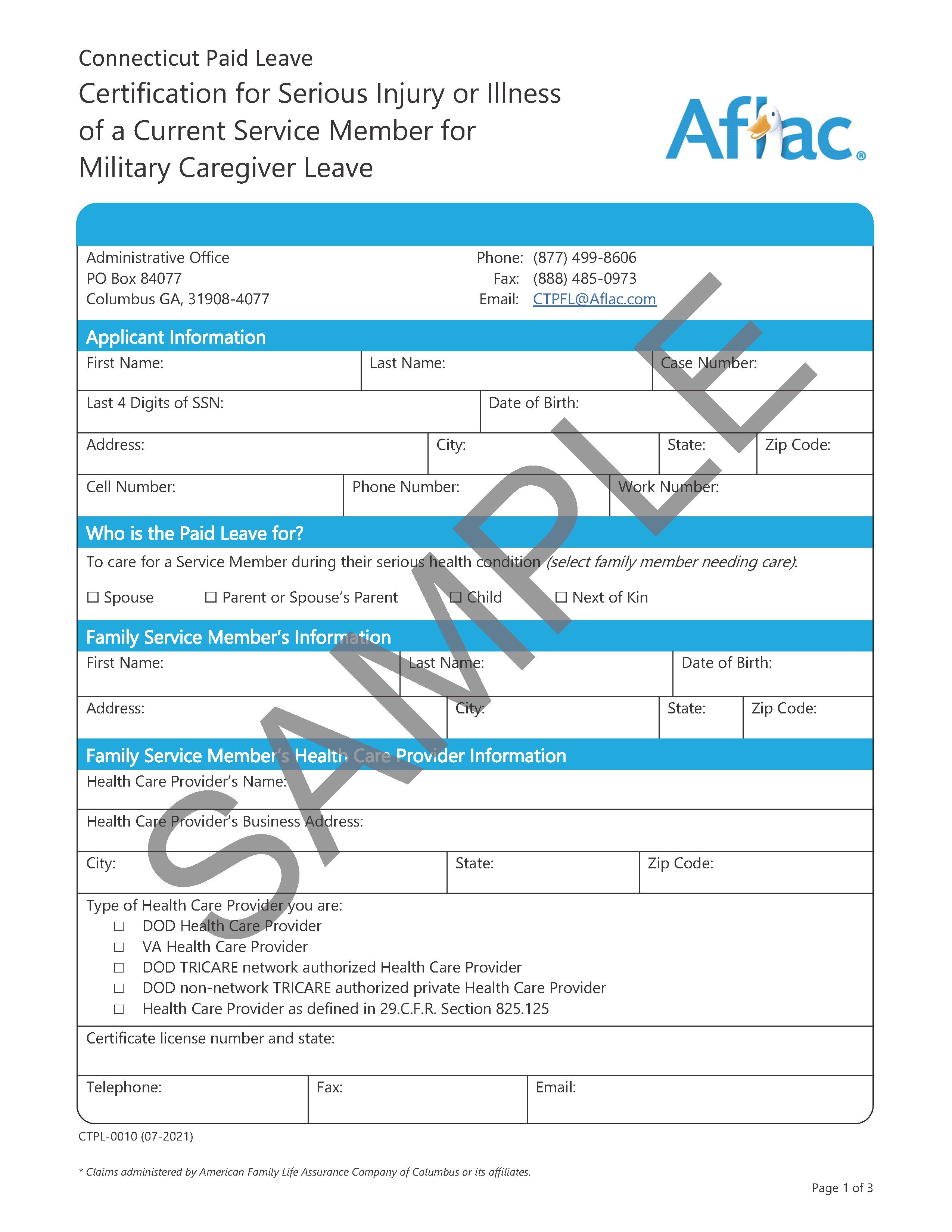
Certification for Serious Injury or Illness of a Current Service Member for Military Caregiver Leave
The Certification for Serious Injury or Illness of a Current Service Member for Military Caregiver Leave is included in your Notice of Application and has the case number and name pre-filled.
You and the healthcare provider of your military family member must complete this form.
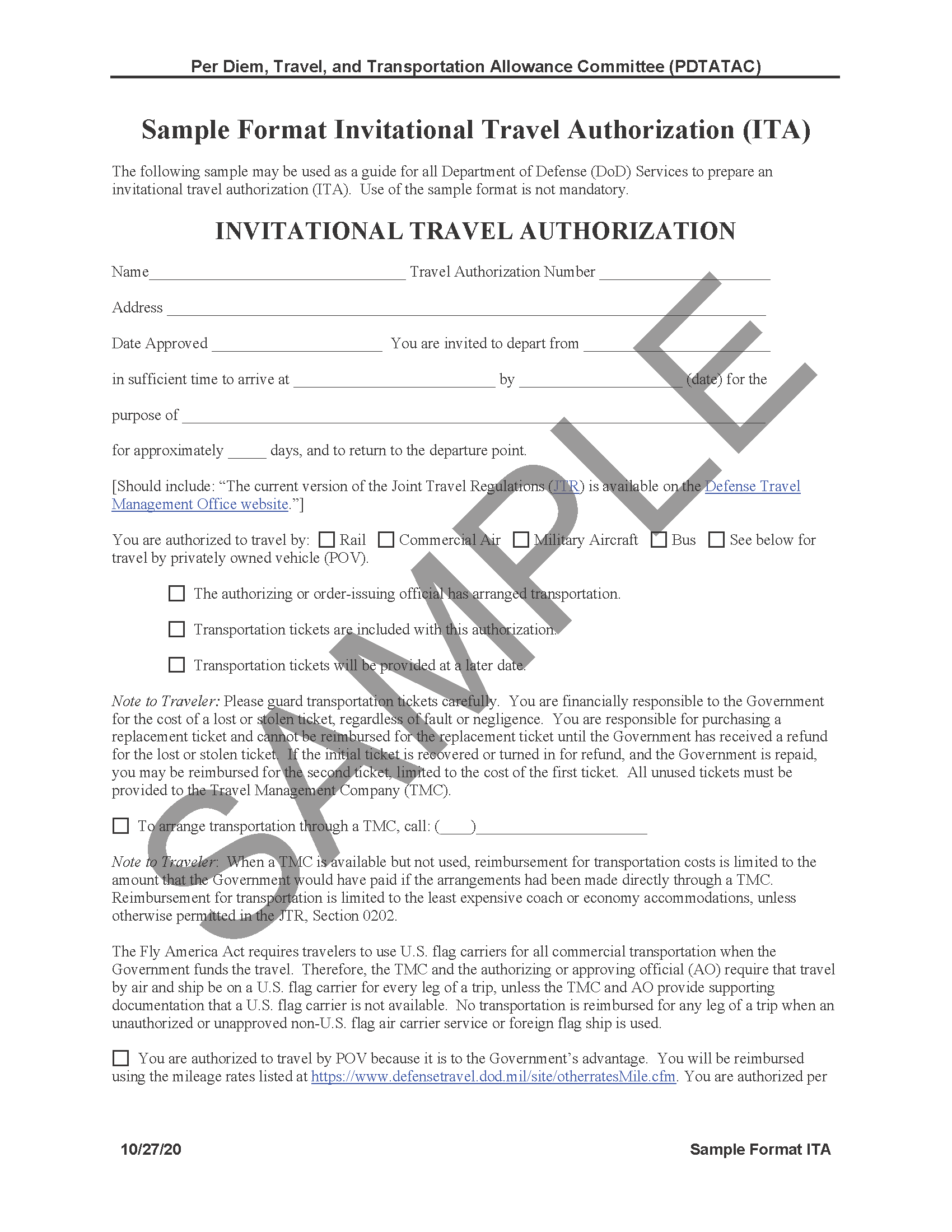
We will accept one of the following as an alternative to Certification for Serious Injury or Illness of a Current Service Member for Military Caregiver Leave:
When uploading the Certification for Serious Injury or Illness of a Current Service Member for Military Caregiver Leave or the Form WH-385, select:
Document Type:
Caregiver Certification Form
When uploading the copy of an ITA (Invitational Travel Authorization) or ITO (Invitational Travel Order), select:
Document Type:
Military Orders
When uploading documents, do not use the sample forms.
Qualifying Exigency
I need to take military family leave
Military family leave can be taken for military caregiver leave or for qualifying exigency leave.
You are addressing specific circumstances associated with the deployment of a parent, spouse, or child to covered military duty.
Certification for Military Leave for Qualifying Exigency
The Certification for Military Leave for Qualifying Exigency is included in your Notice of Application and has the case number and name pre-filled.
You must complete a Certification for Military Leave for Qualifying Exigency form and submit appropriate supporting documentation as listed in the form.
Supporting documentation
Copy of orders or letter of impending activation from the family member's officer; or
Copy of documentation validating the specific activity for which you are taking leave.
When uploading the Certification for Military Leave for Qualifying Exigency form, select:
Document Type:
Military Orders
When uploading copy of appointments, events, or other qualifying exigencies
Document Type: Military Orders
When uploading documents, do not use the sample forms
Family Violence Leave
I have been impacted by family violence
If you are experiencing family violence, you may be eligible to receive up to 12 days of CT Paid Leave benefits to seek medical or psychological care, to seek support from a victim services organization, to relocate, or to participate in any civil or criminal proceeding relating to family violence.
Family Violence Statement
The Family Violence Statement is included in your Notice of Application and has the case number and name pre-filled.
You must complete a CT Paid Leave Family Violence Statement and submit appropriate supporting documentation as listed in the Family Violence Statement.
When uploading the Sole Proprietor/Self Employed Employment Verification form, select:
Document Type: Employment Verification
When uploading documents, do not use the sample forms.
Identity verification documents (REQUIRED)
Provide your identity verification documents directly to Aflac by uploading them into your claim through the CT Paid Leave Aflac Portal.
Do not send original documents to Aflac.
Provide color copies of the original documents.
You can use your mobile phone to take photos or use a free application such as Adobe Scan.
When uploading identity verification documents, select Identification as document type.
Grouped Tile 1
A short description to go here for this component. Common Functions Button Styling Code Check In / Check Out Copy Duplicate Delete* Edit Rich Text Hyperlink Login / Logout Move
Preview
Publish* (no workflow)
Publish* (with workflow)
Rename
Reorder
Save
Unpublish*
Media Functions Image Optimization
Overwrite
Upload
Components
Accordion (FAQ)
Alert
Banner with Buttons
Bonding Image Text
Facebook Feed
Grouped Tile
Guide Post
Guide Post List
Guide Post Steps
Hero Banner
iFrame
Image and Text
Link List
Multistep
New Media Item
Required Documents
Rich Text
Story Card
Story Group
Text CTA Banner
Themes List & Tabs
Tile Card
Tile Card List
Timeline
Video Card
Video List
 LANGUAGE
 SEARCH



 Sign in
 Hello,